
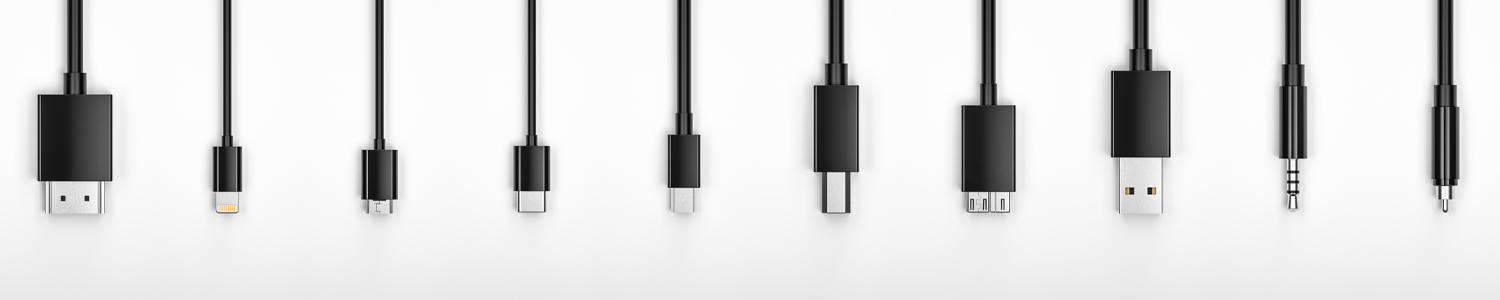
Connection Guide
Choosing the right connection shouldn’t be complicated. The Connection Guide is designed to simplify the process by helping you identify the best cables and connectivity solutions for any application. Whether you're working with HDMI, USB, DisplayPort, or other AV/IT technologies, this resource provides clear, practical guidance to ensure optimal performance, compatibility, and reliability across your systems.
Video Cables

HDMI
HDMI is an all digital HD format that provides uncompressed HD video and up to 8 channels of digital audio in one cable. Found on all consumer video electronics.
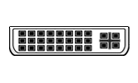
DVI
DVI is a video only High Definition video format with 24 and 29 pin configurations and types including DVI-D, DVI-A and DVI-I. Commonly found on computers and some peripherals.

Composite Video
Analog video format using a single RCA (sometimes BNC) connection. format using a single RCA (sometimes BNC) connection.

Component Video (RCA)
Analog video format that splits the video signal into three components for enhanced picture. Uses 3 RCA connections.


Audio Cables


Optical Toslink
A digital audio connection using a fiber Toslink connector. Found on consumer a/v equipment.


RCA (Stereo)
Analog stereo audio connection using two RCA (phono) connections (left & right). Found on consumer a/v equipment.

1/4" Standard Phone
Unbalanced analog audio connection found on pro audio equipment. Can be mono or stereo (TRS).

3.5mm Mini
Unbalanced analog audio connection found on pro audio equipment. Can be mono or stereo (TRS).
Computer/Data Cables
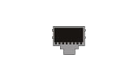

DisplayPort
DisplayPort is an all digital HD format that provides uncompressed HD video and digital audio in one cable. Found on computer & some consumer devices.

VGA (HD-15)
Common computer monitor connection. Utilizes 3 rows of pins totaling 15. (Not to be confused with a D-Sub connector which is 2 rows.

USB A
Type A rectangular version of USB digital data and video format. Found on computers and computer devices.

USB B
Type B square version of USB digital data and video format. Type B ports are found on USB hubs, printers, scanners and other peripheral devices.

USB Mini A
Mini A version of USB digital data and video format. Can be easily confused with other Mini and Micro versions. Found primarily on portable computer devices.

USB Mini B
Mini B version of USB digital data and video format. Can be easily confused with other Mini and Micro versions. Found primarily on portable computer devices.

USB Micro A
Micro A version of USB digital data and video format. Can be easily confused with other Mini and Micro versions. Found primarily on portable computer devices.

USB Micro B
Micro B version of USB digital data and video format. Can be easily confused with other Mini and Micro versions. Found primarily on portable computer devices.

USB Type-C
USB Type-C is a specification for a 24-pin reversible-plug connector for USB devices and USB cabling.

Lightning
Lightning is used to connect Apple® mobile devices like iPhones, iPads & iPods to host computers, external monitors, cameras, USB battery chargers & other peripherals.

Multimode ST
(Straight Tip connector) A fiber-optic cable connector that uses a bayonet plug and socket. It was the first de facto standard connector for most commercial wiring. For bi-directional transmission, two fiber cables and two ST connectors are used.

Multimode LC
(Lucent Connector) A miniaturized version of the fiber-optic SC connector. It looks somewhat like the SC, but is half the size with a 1.25mm ferrule instead of 2.5mm.